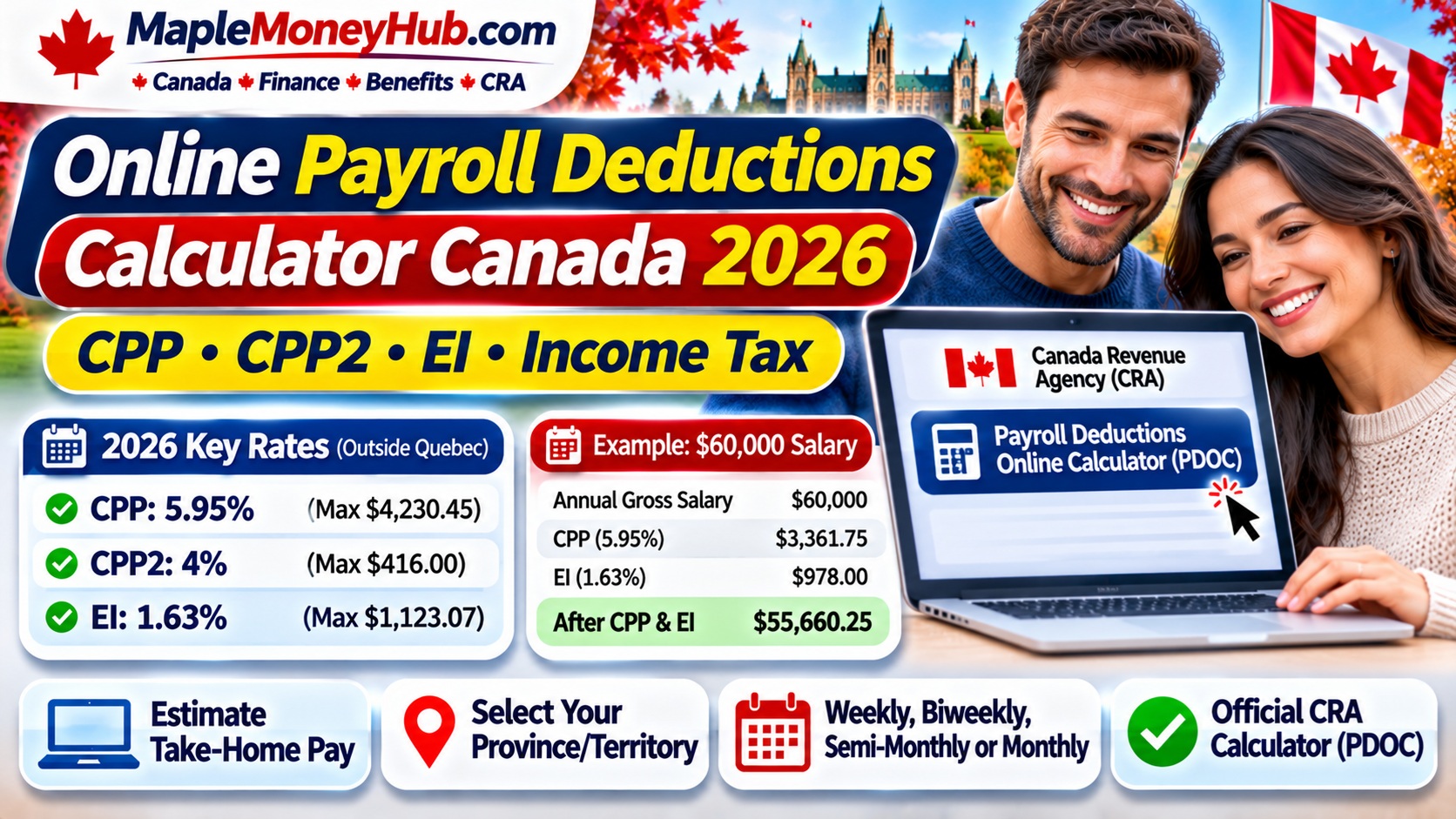
Need to calculate payroll deductions in Canada for 2026? Whether you are an employee checking your take-home pay or a small-business owner preparing payroll, the Canada Revenue Agency provides a free online tool for calculating common payroll deductions.
The Payroll Deductions Online Calculator (PDOC) helps calculate federal and applicable provincial or territorial income tax deductions, Canada Pension Plan contributions and Employment Insurance premiums.
Last reviewed: November 12, 2026.
CRA Online Payroll Deductions Calculator 2026
You can access the official calculator directly through the CRA website.
Open CRA Payroll Deductions Calculator
The tool supports common payroll calculations and can help employers determine amounts to withhold from an employee’s earnings.
It can calculate deductions for salary, commissions and certain pension payments. The CRA also provides a verification option for CPP contributions and EI premiums.
The accuracy of the result depends on the information entered. An employee with taxable benefits, multiple employers or special tax circumstances may require additional payroll adjustments.
How to Use the CRA Payroll Calculator: Step by Step
- Open PDOC. Visit the official CRA calculator page and accept its terms.
- Choose the calculation type. Select salary, commission, pension or the applicable verification option.
- Select the province or territory of employment. This is not necessarily the employee’s home province.
- Choose the pay frequency. For example, weekly, biweekly, semi-monthly or monthly.
- Enter the payment date. This helps the calculator apply the relevant payroll rates.
- Enter gross pay. Include the salary or wages for the specific pay period and applicable additional amounts.
- Enter tax credit and deduction details. Use the employee’s applicable TD1 information and other relevant inputs.
- Review the result. Check the calculated income tax, CPP, CPP2 and EI deductions.
- Save the calculation for your records. Employers must still produce compliant statements of earnings.
2026 CPP, CPP2 and EI Deduction Rates
The following figures apply to employees outside Quebec. Quebec uses different QPP, EI and QPIP rules.
| Payroll deduction | 2026 employee rate | 2026 annual maximum or threshold |
|---|---|---|
| CPP | 5.95% | $4,230.45 maximum contribution |
| CPP basic exemption | Not a contribution rate | $3,500 annually |
| CPP maximum pensionable earnings | Not a contribution rate | $74,600 |
| CPP2 | 4% | $416 maximum contribution |
| CPP2 earnings range | 4% on applicable earnings | Above $74,600 up to $85,000 |
| EI | 1.63% | $1,123.07 maximum employee premium |
| EI maximum insurable earnings | Not a contribution rate | $68,900 |
These are annual figures. Actual deductions for an individual pay period depend on payroll formulas, year-to-date contributions and the employee’s circumstances.
For official details, review CRA CPP contribution rates and CRA EI premium rates.
Payroll Calculator Example: $60,000 Annual Salary
Example 1: Ontario employee earning $60,000
Assume an employee earns $60,000 annually, works outside Quebec and has eligible pensionable and insurable employment income throughout the year.
Annual gross salary: $60,000
Biweekly gross pay: $60,000 ÷ 26 = $2,307.69
For a simplified full-year illustration:
CPP: ($60,000 − $3,500) × 5.95% = $3,361.75
EI: $60,000 × 1.63% = $978.00
Combined annual CPP and EI: $4,339.75
Annual earnings after these two contributions: $55,660.25, before income tax and other deductions.
This example does not calculate federal or Ontario income tax. Actual pay-period withholding may differ because of rounding and payroll circumstances.
To determine actual net pay, enter the employee’s information in PDOC, including the applicable tax credits and pay date.
Payroll Calculator Example: $90,000 Annual Salary
Example 2: Higher-income employee with CPP2
Consider an employee outside Quebec earning $90,000 in pensionable and insurable salary in 2026.
At this earnings level, the employee may reach the annual CPP, CPP2 and EI contribution maximums.
| Contribution | Annual employee maximum |
|---|---|
| CPP | $4,230.45 |
| CPP2 | $416.00 |
| EI | $1,123.07 |
| Total | $5,769.52 |
These figures illustrate annual contribution maximums for an otherwise eligible employee with sufficient earnings. They do not represent a complete payroll calculation or include income tax.
How Federal and Provincial Income Tax Deductions Work
Unlike CPP and EI, income tax deductions cannot be determined accurately using one universal percentage.
Canadian payroll withholding takes into account factors such as:
- Federal income tax brackets.
- Provincial or territorial income tax rates.
- Employee tax credit amounts reported on TD1 forms.
- Pay frequency and annualized earnings.
- Eligible pension deductions and other payroll adjustments.
- Taxable benefits, bonuses and commissions.
For 2026, the federal income tax brackets begin at 14%, with higher marginal rates applying as taxable income increases. Provincial and territorial rates differ.
The CRA updated its payroll formulas effective July 1, 2026, including certain provincial adjustments.
For reliable withholding, use the current official calculator rather than multiplying gross pay by a guessed average tax rate.
Weekly, Biweekly and Monthly Payroll Calculations
Payroll frequency affects the amount paid and the calculation of deductions for each period.
| Frequency | Typical periods per year | Gross pay on $52,000 salary |
|---|---|---|
| Weekly | 52 | $1,000.00 |
| Biweekly | 26 | $2,000.00 |
| Semi-monthly | 24 | $2,166.67 |
| Monthly | 12 | $4,333.33 |
These are gross salary examples. They are not take-home pay estimates. Actual payroll calendars can also require special handling, such as years with an additional pay period.
Payroll Deductions in Quebec: What Is Different?
Quebec employers must account for provincial payroll rules administered by Revenu Québec.
Instead of CPP, eligible Quebec employees generally contribute to the Quebec Pension Plan (QPP). Quebec also administers the Quebec Parental Insurance Plan (QPIP).
Quebec employees have different EI premium rates because of the provincial parental insurance program.
The CRA’s PDOC can assist with applicable federal calculations, but it does not calculate Quebec provincial payroll deductions.
For those deductions, use Revenu Québec’s WebRAS.
Employee Deductions vs Employer Payroll Costs
Employers generally have payroll costs beyond the employee’s gross salary.
For example, outside Quebec, employers generally match employee CPP and CPP2 contributions and pay EI premiums at 1.4 times the employee EI rate, subject to applicable rules.
| Contribution | Employee responsibility | Employer responsibility |
|---|---|---|
| CPP | Employee contribution | Generally matching contribution |
| CPP2 | Additional contribution where applicable | Generally matching contribution |
| EI | Employee premium | Generally 1.4 times employee premium |
| Income tax | Withheld from employee earnings | Employer remits the withheld amount |
Employer payroll expenses can also include workers’ compensation premiums, vacation pay, statutory holiday obligations and benefit costs, depending on the jurisdiction.
Example: Employer Payroll Cost for a $60,000 Salary
Using the earlier $60,000 salary example outside Quebec:
Gross salary: $60,000
Employer CPP: $3,361.75
Employer EI: $978 × 1.4 = $1,369.20
Illustrative employer cost: $64,730.95
This excludes workers’ compensation, vacation obligations, insurance, employee benefits and other employment expenses.
CRA PDOC vs Payroll Software
PDOC is useful for individual calculations and verification. However, a growing business may require a full payroll system.
| Feature | CRA PDOC | Full payroll software |
|---|---|---|
| Calculate payroll deductions | Yes | Generally yes |
| Recurring employee payroll | Manual calculations | Often automated |
| Employee direct deposits | No | Often available |
| Employee payslips | Not a compliant payslip generator | Usually available |
| Payroll records and reporting | Limited | Often included |
| T4 preparation | No | Available in many products |
| Software subscription | Free | Varies by provider |
Canadian businesses may evaluate payroll software such as QuickBooks Payroll, Wagepoint, ADP or other Canadian-compatible providers. Compare current pricing, Quebec support, tax remittances, employee limits, integrations and year-end reporting before choosing.
The CRA calculator remains useful for independently checking payroll results even when a business uses paid software.
Common Payroll Calculator Mistakes
- Using the wrong province: Province of employment rules can differ from an employee’s residential address.
- Ignoring CPP2: Higher earnings may trigger second additional CPP contributions.
- Using outdated tax rates: Apply the correct payment date and current formulas.
- Entering net pay as gross pay: Start with the appropriate gross earnings.
- Forgetting taxable benefits: Certain benefits affect payroll deductions.
- Ignoring year-to-date contributions: CPP and EI have annual limits.
- Using PDOC as a payslip: The calculator output is not a substitute for a compliant statement of earnings.
Frequently Asked Questions
What is the CRA Payroll Deductions Online Calculator?
It is a free CRA tool that calculates common payroll deductions, including income tax, CPP and EI, using the information entered for a particular pay period.
Is the CRA payroll calculator free?
Yes. The official PDOC is available without a paid software subscription.
Can I calculate my take-home pay in Canada?
Yes. You can use PDOC to calculate applicable statutory deductions and subtract them from gross pay. Other workplace deductions may also affect your actual take-home amount.
Does PDOC calculate CPP2?
Yes. The CRA’s payroll calculation rules account for applicable second additional CPP contributions.
Does the calculator work for Ontario?
Yes. PDOC supports Ontario and other provinces and territories, excluding Quebec provincial deductions.
Can I calculate Quebec payroll deductions?
Use Revenu Québec’s WebRAS for Quebec provincial deductions, including the relevant provincial rules.
What is the CPP contribution rate for 2026?
The employee CPP rate outside Quebec is 5.95% on applicable pensionable earnings, subject to the annual exemption and contribution maximum.
What is the EI premium rate for 2026?
Outside Quebec, the employee EI rate is 1.63%, with a maximum annual employee premium of $1,123.07.
Does PDOC submit payroll deductions to CRA?
No. Calculating deductions is separate from remitting payroll amounts and meeting employer reporting obligations.
Can employers use PDOC instead of payroll software?
Employers can use it for calculations, but they remain responsible for payroll records, compliant earnings statements, remittances and required filings.
Related MapleMoneyHub Guides
For additional CRA and tax information, see:
Official Sources
TL;DR: Online Payroll Deductions Calculator 2026
- The CRA offers a free Payroll Deductions Online Calculator.
- It calculates common federal and applicable provincial payroll deductions.
- CPP is 5.95% outside Quebec in 2026, subject to annual limits.
- EI is 1.63% outside Quebec in 2026.
- CPP2 applies to certain earnings above $74,600.
- Use Revenu Québec’s WebRAS for Quebec provincial deductions.
- Employers must still handle remittances, records and compliant payslips.
Editorial note: Prepared for MapleMoneyHub.com and reviewed November 12, 2026. Rates and explanations are based on published CRA guidance. This article is educational and is not a substitute for official payroll calculations or professional accounting advice. MapleMoneyHub is not affiliated with the Canada Revenue Agency.