MAPLEMONEYHUB | BANKING & PAYMENTS
Interac e-Transfer Pending in Canada? Why It Happens & How to Fix It
Updated October 27, 2026 | Canadian Banking Guide
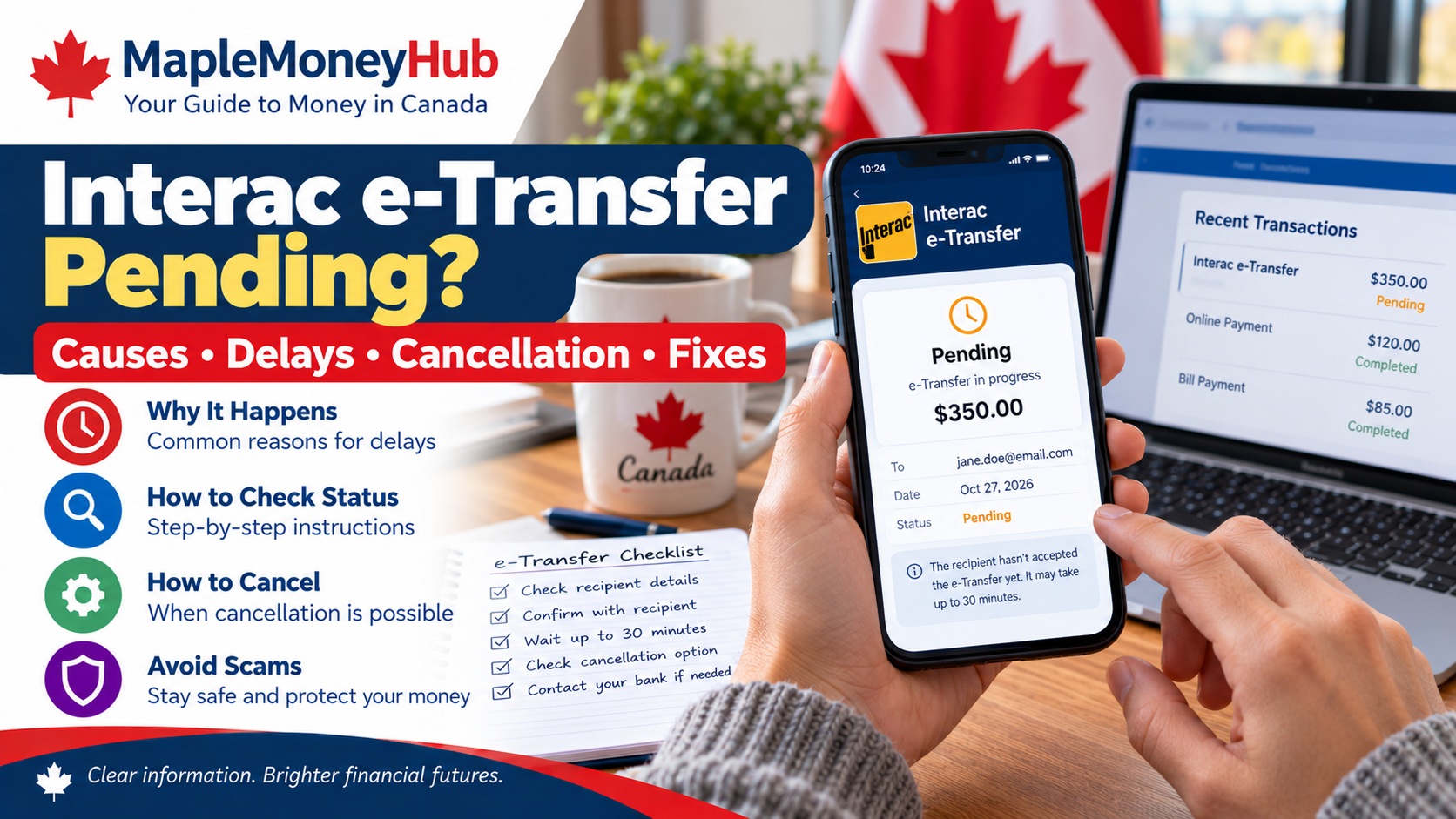
Quick Answer: Why Is My Interac e-Transfer Pending?
An Interac e-Transfer may show as pending because the recipient has not accepted it, the transaction is still being processed, the notification has not arrived, or a bank is conducting a security review. Interac says transfers are often almost instant but may take up to 30 minutes, depending on the financial institution.
First, check the transfer status in your banking app. Confirm the recipient’s email address or phone number and ask whether they have received or deposited the money. If the transfer remains unresolved, contact your bank or credit union. Do not send a duplicate payment until you know what happened to the first one.
You send $350 to a family member in Canada. Your bank account shows the money has been deducted, but the recipient says nothing has arrived. Your mobile banking app still displays Pending.
This can be worrying, especially when the payment is for rent, groceries, a utility bill or an urgent expense. However, a pending status does not automatically mean the money has been lost.
Interac e-Transfer connects participating Canadian financial institutions. The sender’s bank, the recipient’s bank, the notification process and security checks can all influence how a transaction progresses.
In this guide, you’ll learn how to identify the most likely problem, which steps to take first, when cancellation is possible and how to protect yourself from fraud.
1. How Long Does an Interac e-Transfer Take in Canada?
According to Interac, e-Transfers are generally almost instant but can take up to 30 minutes, depending on the participating bank or credit union. This is a typical service timeframe, not a guarantee that every transfer will finish within 30 minutes.
| Situation | What It May Mean | Recommended Action |
|---|---|---|
| Sent a few minutes ago | Normal processing may still be underway. | Check transaction history and allow normal processing time. |
| Pending after 30 minutes | Unaccepted transfer, notification issue or additional review. | Confirm the recipient’s details and check with the bank. |
| Recipient uses Autodeposit | Deposit should normally occur automatically, subject to checks. | Verify the registered contact and ask the bank to investigate if delayed. |
| Pending for several hours | The transaction may require investigation. | Contact the sending bank with the transfer details. |
Important: A pending transfer awaiting acceptance is different from a transaction that is still being processed. Your bank’s displayed status and available actions help determine which situation applies.
2. Why Is Your Interac e-Transfer Still Pending?
Reason 1: The Recipient Has Not Accepted the Money
If the recipient has not enabled Autodeposit, they generally must open the legitimate transfer notification, select their financial institution, sign in and answer the security question.
Until the transfer is deposited, it may remain available for acceptance or cancellation. Ask the recipient to check whether they completed the entire deposit process, not merely opened the notification.
Reason 2: The Email Address or Phone Number Is Incorrect
A mistyped address or outdated phone number may cause the notification to reach the wrong destination or never reach the intended recipient.
Compare the recipient details shown in your bank’s transfer history against information confirmed directly by the recipient. If you used incorrect details, investigate cancellation before sending another transfer.
Reason 3: A Financial Institution Is Reviewing the Transfer
Participating banks and credit unions use security controls to protect customers. Certain transactions may require additional review before completion.
Do not assume a review proves fraud. Equally, do not attempt to bypass a hold by splitting the amount into several payments. Ask your financial institution for guidance.
Reason 4: The Recipient Has Not Seen the Notification
An email may be filtered into spam, sent to an old address or delayed by the recipient’s email provider. Text notifications can also be overlooked.
Ask the recipient to search their inbox and check their banking app. For unexpected messages, they should verify the transfer with you independently before opening any link.
Reason 5: Autodeposit Registration Is Not Correct
Autodeposit links a registered email address or mobile number with an eligible Canadian bank account. If the recipient changed banks or contact information, the registration may not be what they expect.
The recipient should review Autodeposit settings through their own bank’s official app or website. A new registration generally requires confirmation.
Reason 6: A Temporary Technical Problem
A bank’s digital banking system, transaction processing or notification service may occasionally experience problems. A delayed transfer alone does not establish that Interac is experiencing a nationwide outage.
Check your financial institution’s official service notices and contact its support team if the problem continues.
3. Interac e-Transfer Pending: Step-by-Step Fix
- Open your banking app directly. Avoid using links from unexpected emails or text messages.
- Find your transfer history. Look for a section such as Interac e-Transfer, Payment History, Sent Transfers or Pending Transfers.
- Read the status carefully. Determine whether it says Pending, Sent, Completed, Cancelled or another bank-specific status.
- Confirm the recipient details. Verify the email address or phone number, amount and date.
- Contact the recipient independently. Ask whether they received a notification, attempted the deposit or use Autodeposit.
- Allow ordinary processing time. Transfers can take up to 30 minutes under normal circumstances.
- Check cancellation eligibility. If the money has not been deposited, your bank may offer a cancellation option.
- Contact your bank. If the transfer is still unresolved, ask your bank or credit union to investigate using its official support channels.
A second transfer may also be deposited if the original transaction later completes. Verify the first transaction’s outcome before retrying, particularly for rent, invoices or marketplace purchases.
4. Money Left Your Bank Account but the Recipient Has Nothing
This is one of the most confusing situations for senders. You see a debit on your account, but the recipient cannot find a deposit.
Interac explains that the money itself does not travel through email or text messages. Participating financial institutions handle the funds, while notifications provide information and instructions for receiving them.
For transfers awaiting acceptance, the sending financial institution may hold the funds until the recipient deposits them, the sender cancels the transaction or the transfer expires.
That means a debit does not always prove the recipient has successfully received the money.
Example: Maya sends $425 to her landlord on Monday afternoon. Her banking history shows Pending. The landlord says no money was received. Maya checks the email address and discovers a typo. If the transaction remains unaccepted and her bank permits cancellation, she can cancel it and confirm the return of funds before sending a corrected payment.
If the transfer instead shows Completed but the recipient disputes receiving it, contact the sending bank immediately. Do not assume the transaction can still be cancelled.
5. How to Cancel a Pending Interac e-Transfer
Interac generally permits the sender to cancel a transfer before it has been deposited. However, the precise steps, fees and availability depend on the financial institution.
- Sign in to your bank’s official mobile app or online banking website.
- Open the Interac e-Transfer section.
- Find the pending or sent transfer history.
- Select the transaction you want to cancel.
- Choose the available cancellation option.
- Review any fee or confirmation message before proceeding.
- Check that the returned funds are reflected in your account.
If the recipient has already deposited the transfer, cancellation is generally no longer available. Autodeposit transfers can complete automatically, sometimes leaving no opportunity to cancel.
| Transfer Situation | Can You Cancel? |
|---|---|
| Recipient has not deposited the money | Usually possible through the bank, subject to its rules. |
| Recipient already deposited it | Generally no. |
| Autodeposit completed | Generally no. |
| Transfer is undergoing processing or review | Ask the bank whether cancellation is available. |
| Transfer expired | Follow your bank’s instructions to reclaim the funds. |
For an official example, see Scotiabank’s cancellation instructions. Other banks may use different menu names.
6. Can You Cancel an Autodeposit Transfer?
Autodeposit is designed to send eligible transfers directly to the recipient’s registered account without requiring a security question.
Before confirming an Autodeposit transfer, Interac advises checking the recipient’s displayed name. This is particularly important when sending money to someone for the first time.
Once an Autodeposit transaction has completed, you generally cannot cancel it. If you sent money to the wrong person, immediately contact your financial institution and explain what happened. You may also need to request a voluntary refund from the recipient.
Do not assume your bank can reverse a completed transfer simply because the recipient details were entered incorrectly.
Official guide: How Interac Autodeposit works.
7. Interac e-Transfer Pending at RBC, TD, Scotiabank, CIBC or BMO
The general troubleshooting process is similar across participating Canadian banks, but each institution has its own online banking interface, transfer history and cancellation policies.
| Bank | Where to Start | Official Website |
|---|---|---|
| RBC Royal Bank | Check Interac e-Transfer history in RBC Online Banking or the RBC Mobile app. | RBC |
| TD Canada Trust | Review sent transfers through EasyWeb or the TD app. | TD |
| Scotiabank | Open Interac e-Transfer history and review pending transactions. | Scotiabank |
| CIBC | Review Interac e-Transfer activity in CIBC Online or Mobile Banking. | CIBC |
| BMO | Check transfer activity through BMO Online Banking or its mobile app. | BMO |
These are starting points, not claims that any of these banks is currently experiencing an outage. Menu labels may change as banking apps are updated.
If your bank’s status says Completed but the recipient cannot locate the money, ask the sending bank to investigate. Interac itself does not hold or trace customer funds on behalf of consumers.
8. Interac e-Transfer Notification Not Received
If the recipient has not received an email or text notification, begin with the sender’s transaction history. Confirm that the transfer was actually submitted and that the contact details are correct.
Next, the recipient can check spam folders, message filtering and any alternate email addresses or phone numbers they use for banking.
For recipients without Autodeposit, a legitimate notification normally directs them through the deposit process. If the transfer was unexpected, they should contact the sender through a known communication channel before taking action.
Never forward a security answer in the same email or text conversation containing the transfer notification. Interac recommends communicating it separately.
9. How Long Before an Unaccepted Transfer Expires?
Interac explains that an e-Transfer that is not accepted within 30 days expires. The sender receives a notice and instructions about reclaiming the funds.
Expiration is different from cancellation. If you need the money returned sooner, check whether your bank allows you to cancel the unaccepted transfer.
Depending on the institution, there may be a cancellation fee or another step required to return the funds. Do not assume an expired transfer has already been credited back to your account without checking.
10. What If You Sent Money to the Wrong Person?
First, determine whether the transfer has been deposited. If it remains unaccepted, try to cancel it through your bank as soon as possible.
If the transfer has completed, contact your financial institution immediately. Provide the transfer date, amount, recipient details and transaction reference, if available.
Keep a record of your communication with the bank. If you believe the payment involved fraud or an unauthorized transaction, clearly tell the bank that and follow its security reporting process.
Sending money to the wrong person and having money stolen through an unauthorized transaction are not necessarily treated the same way. Your bank will need to assess the circumstances.
11. How to Spot a Fake Interac e-Transfer Notification
Fraudsters sometimes imitate e-Transfer messages to trick recipients into entering online banking credentials or sending money to scammers.
Warning signs include:
- An unexpected payment from someone you do not recognize.
- A message demanding immediate action or threatening account closure.
- A link that leads to a suspicious or misspelled website.
- A request to disclose your bank password, PIN or verification code.
- A message asking you to pay a fee to release a supposed deposit.
- A sender pressuring you to return an unexpected payment to a different account.
When in doubt, sign in to your bank using its official app or a website you navigate to yourself. Verify an unexpected payment with the sender through another channel.
If you believe you entered credentials into a fraudulent page, contact your bank immediately, secure your account and follow its instructions.
Read Interac’s official payment security recommendations.
12. Realistic Troubleshooting Examples
Example A: Rent Payment Still Pending
Daniel sends $1,200 in rent to his landlord. The payment remains pending after 20 minutes. The landlord has not enabled Autodeposit and has not yet opened the notification.
Best next step: Daniel should verify the recipient’s contact details and ask the landlord to complete the deposit process. He should not immediately send a second payment.
Example B: Autodeposit Has Not Arrived
Priya expects $175 from a friend. Her email is registered for Autodeposit, but her bank account shows no incoming transaction after the normal processing window.
Best next step: The sender should review the transfer status and confirm the registered email address. If the transfer remains unresolved, the sender should contact their financial institution.
Example C: Incorrect Recipient Email
Alex sends $90 to an outdated email address. The transfer shows Pending and has not been accepted.
Best next step: Alex should check whether cancellation is available and confirm the funds have been returned before attempting a corrected transfer.
These are fictional examples for educational purposes, not reports of actual customer transactions.
13. When Should You Contact Your Bank?
Contact your bank or credit union if the transfer has exceeded normal processing time and you cannot determine its status, if a completed transfer is disputed, or if you suspect an unauthorized or fraudulent transaction.
Have the following details ready:
- Transaction date and approximate time.
- Amount sent.
- Recipient name and contact information used.
- Status shown in your banking app.
- Transaction or reference number, if available.
- Any relevant error message.
Interac’s official FAQ states that consumers should contact their financial institution for transaction investigations because Interac does not hold customer funds or trace individual payments.
Use the number on the back of your bank card or the official contact details within your banking app. Avoid telephone numbers supplied in suspicious messages.
14. How to Reduce Future e-Transfer Problems
Although no payment method is entirely free of delays, a few habits can help prevent avoidable mistakes.
- Double-check the recipient’s email address or phone number before confirming a transfer.
- For Autodeposit recipients, verify the displayed recipient name.
- Use strong security questions when Autodeposit is not enabled.
- Keep your banking app and device software updated.
- Save transaction confirmations for important payments.
- Allow time for processing when paying bills or rent near a deadline.
- Contact your bank rather than sending repeated transfers when something looks wrong.
15. Frequently Asked Questions
Does pending mean the recipient has my money?
Not necessarily. A pending status may mean the transfer is awaiting acceptance or is still being processed. Check the sender’s bank history to confirm whether the transaction has been deposited.
Can an Interac e-Transfer take longer than 30 minutes?
Yes. Thirty minutes is a typical upper timeframe cited by Interac, not a guarantee. Additional reviews or other transaction problems may cause longer delays.
Can I cancel an e-Transfer after it has been deposited?
Generally no. Contact your bank immediately if you believe the transaction was sent in error or involved fraud.
Will my money automatically return if nobody accepts it?
Unaccepted transfers expire after 30 days, but the sender may need to follow their bank’s instructions to reclaim the funds. Check the transaction history and bank guidance.
Does Interac customer service track my missing payment?
Interac directs customers to their banks or credit unions for transaction-specific investigations. Your financial institution is the appropriate starting point.
Related MapleMoneyHub Guides
For more information about payments, taxes and managing Canadian household finances, see these guides:
- CRA Notice of Assessment 2026: How to Read It
- EI Payment Dates 2026: Deposits and Delays
- Free Canadian Financial Calculators
- Financial Disclaimer
Final Takeaway
If your Interac e-Transfer is pending, first check your banking app and verify the recipient’s information. Transfers are often almost instant but may take up to 30 minutes. Some remain pending because they have not been accepted or require further processing.
If the transfer has not been deposited, cancellation may be possible. If it has completed or you suspect fraud, contact your financial institution immediately.
Most important: Never send a duplicate transfer simply because the first payment is delayed.
Official Sources and Further Reading
- Interac — e-Transfer Frequently Asked Questions
- Interac — Sending, Receiving and Expired Transfers
- Interac — Autodeposit Setup
- Interac — Protect Your Payments
- Scotiabank — Cancel an Interac e-Transfer
Editorial note: Reviewed October 27, 2026. MapleMoneyHub.com is an independent educational website, not affiliated with Interac or any financial institution. This article provides general information and does not guarantee a particular transaction outcome.
1 thought on “Interac e-Transfer Pending in Canada? Causes & Fixes”